![RIEGL_Logo_Schriftzug_rgb_R[1]-2](https://support.riegl.co.uk/hs-fs/hubfs/RIEGL_Logo_Schriftzug_rgb_R%5B1%5D-2.png?width=200&height=71&name=RIEGL_Logo_Schriftzug_rgb_R%5B1%5D-2.png)
Step 1 - Open the backpack and remove the divider assembly
Open the main compartment fully to expose the internal storage area. Remove existing inserts.
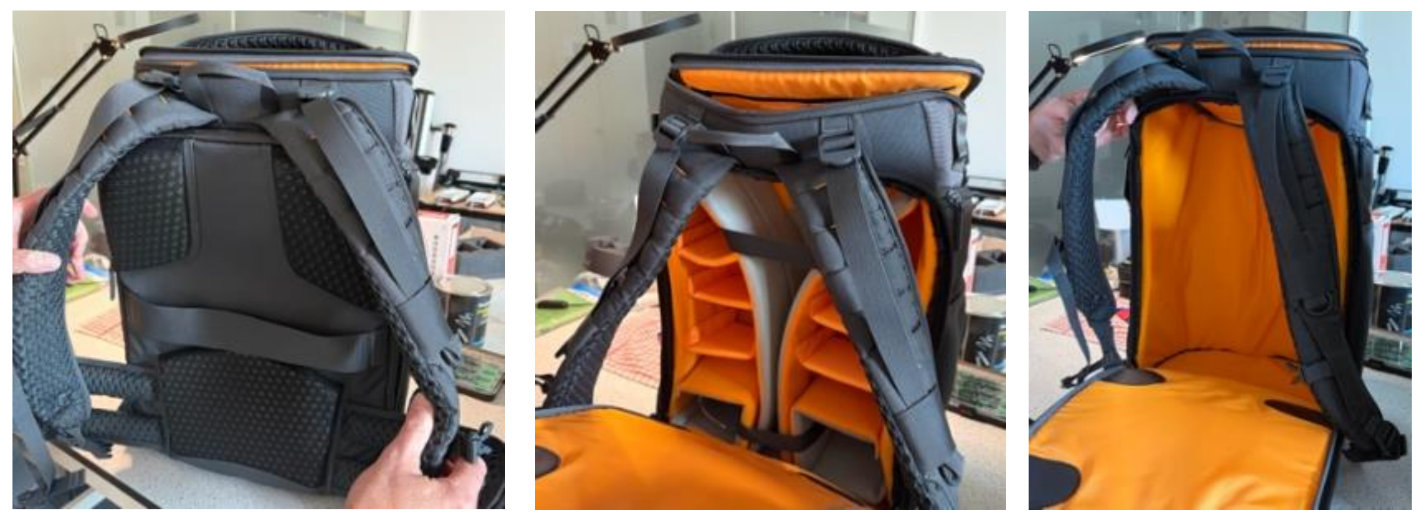
Step 2 – Install the main foam insert
Place the large custom foam insert into the backpack with the cavity facing upward. Zip up the back panel and open the backpack from the top.
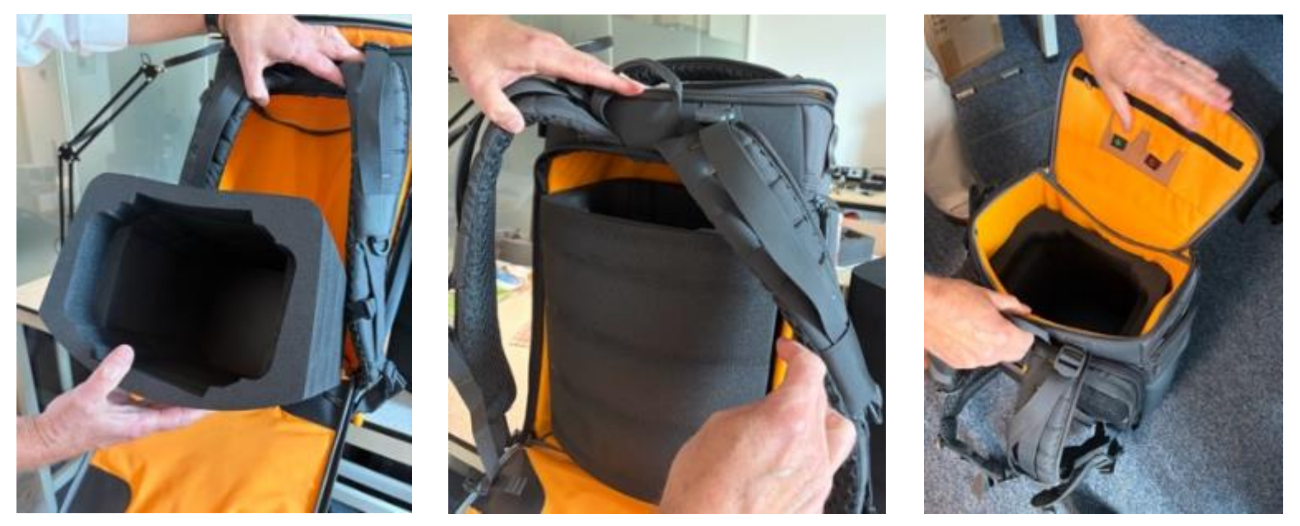
Step 3 – Insert the VZ-600i scanner and retaining foam block
Lower the scanner into the centre cavity of the foam insert. Ensure the screen is facing towards the backpack straps. Fit the upper retaining foam block & press down to hold the scanner securely.
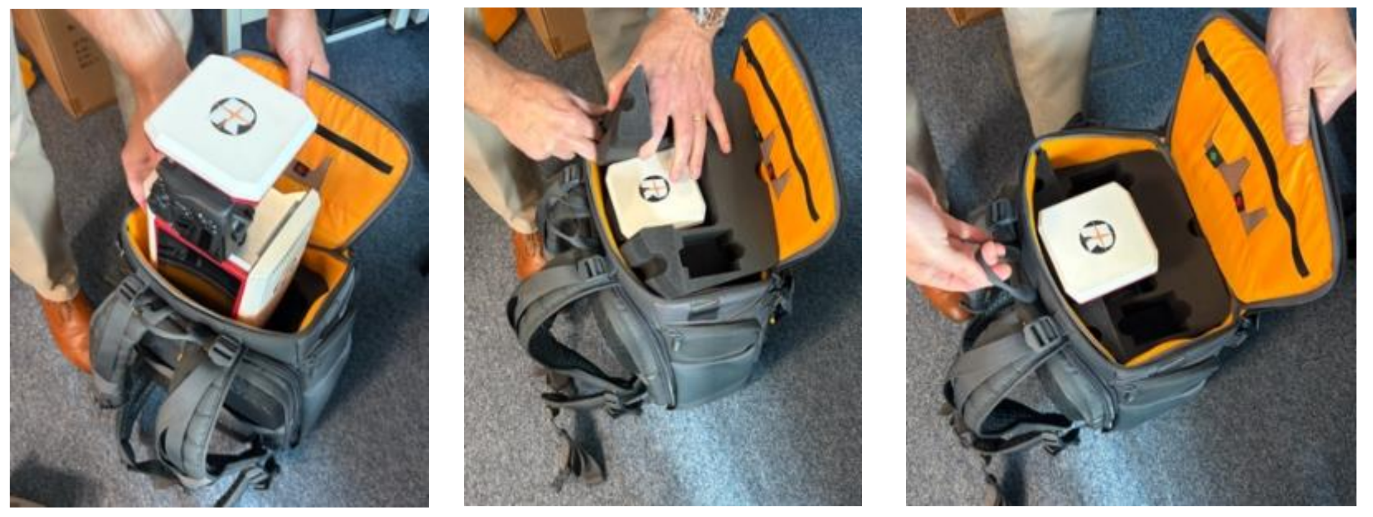
Step 4 – Insert the batteries
Place the batteries into the dedicated battery compartments in the foam block. Close the lid and zip the backpack fully closed before transport.
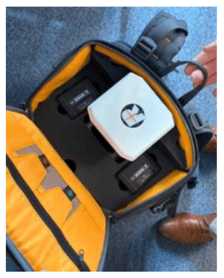
Step 5 – Final checks
-
The scanner is seated correctly.
-
Both batteries are secure.
-
No components can move inside the backpack.